Building Private Ai RAG Systems with Local LLMs and Vector Databases Link to heading
Have you ever wanted to chat with your own documents without sending sensitive data to the cloud? That’s exactly why I put together Rags to Riches, a fully localised, containerised Retrieval-Augmented Generation (RAG) prototype.
This solution allows you to chat with your own documents (.md, .txt, .pdf, .docx) completely offline using local LLMs, vector databases, and a beautiful chat interface.
Architecture Overview Link to heading
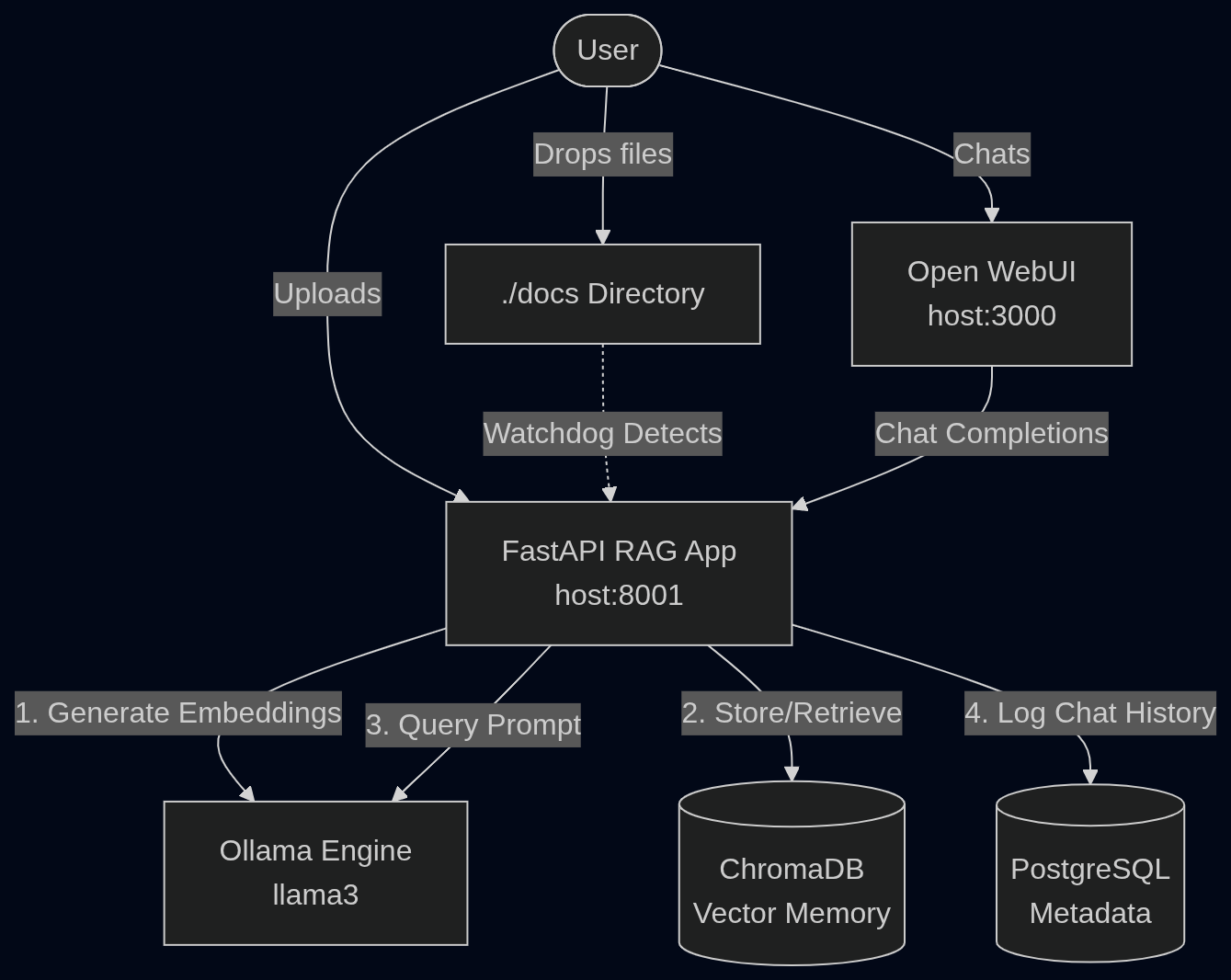
Building a RAG system might seem like a black box, but it’s actually a straightforward pipeline of specialised components working together. Here is how the components in this architecture interact:
The Core Components Link to heading
To make this all work offline, I wired together some fantastic open-source projects:
- Open WebUI (Chat UI): A ChatGPT-style frontend for interacting with your RAG bot. It provides a familiar and beautiful interface.
- FastAPI RAG App: The Python “brain” orchestrating LangChain, file ingestion, memory retrieval, and LLM requests.
- Ollama: The local LLM engine running
llama3for both text embeddings and conversational generation. It leverages NVIDIA GPUs for hardware acceleration. - ChromaDB: The vector database storing the semantic embeddings of your documents.
- PostgreSQL: A relational database to persistently track and audit your chat history.
How it Works Link to heading
The magic happens when you add your knowledge base to the system. You can add documents in two ways without needing to restart any containers:
-
Drag and Drop: Simply drop
.md,.txt,.pdf, or.docxfiles directly into the./docsfolder on your host machine. A file watcher inside the container will instantly detect, chunk, and embed them into ChromaDB. -
API Upload: Send a POST request to the FastAPI application to ingest the document.
Example using
curl:curl -X POST "http://localhost:8000/ingest" \ -H "Content-Type: multipart/form-data" \ -F "file=@/path/to/your/document.pdf"
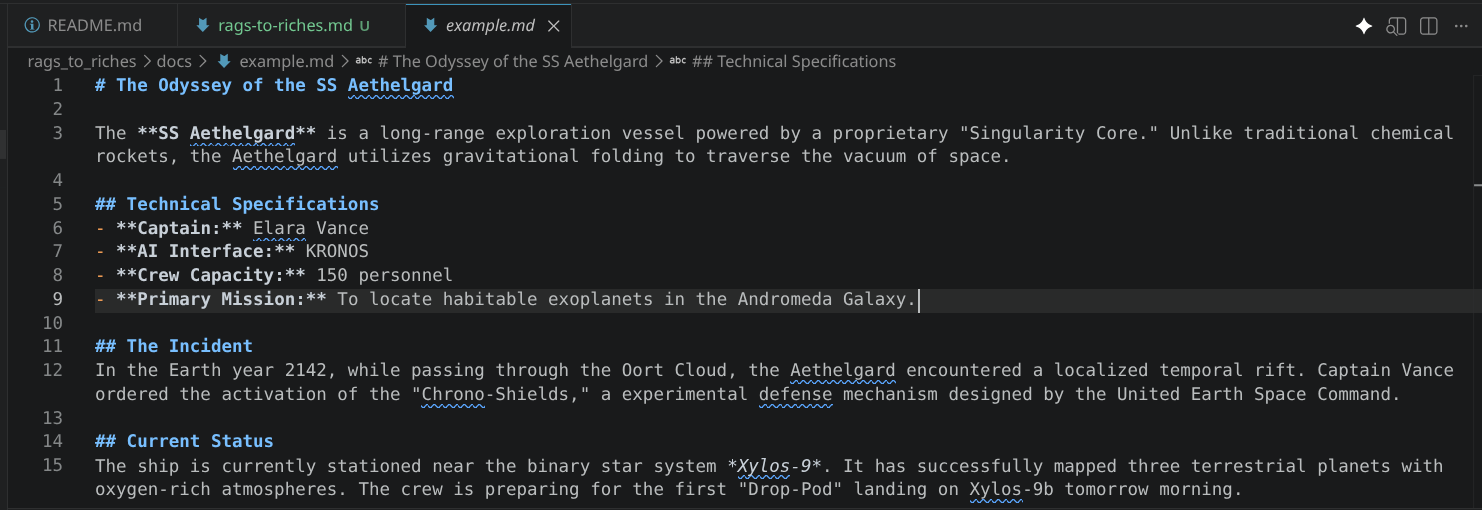
For this demonstration however, I have preloaded an example.md file into the rags_to_riches/docs folder to show you how it works.
Once ingested, you can open your browser to http://localhost:3000 on your machine, select the rags-to-riches-bot model, and start asking questions about your files :)
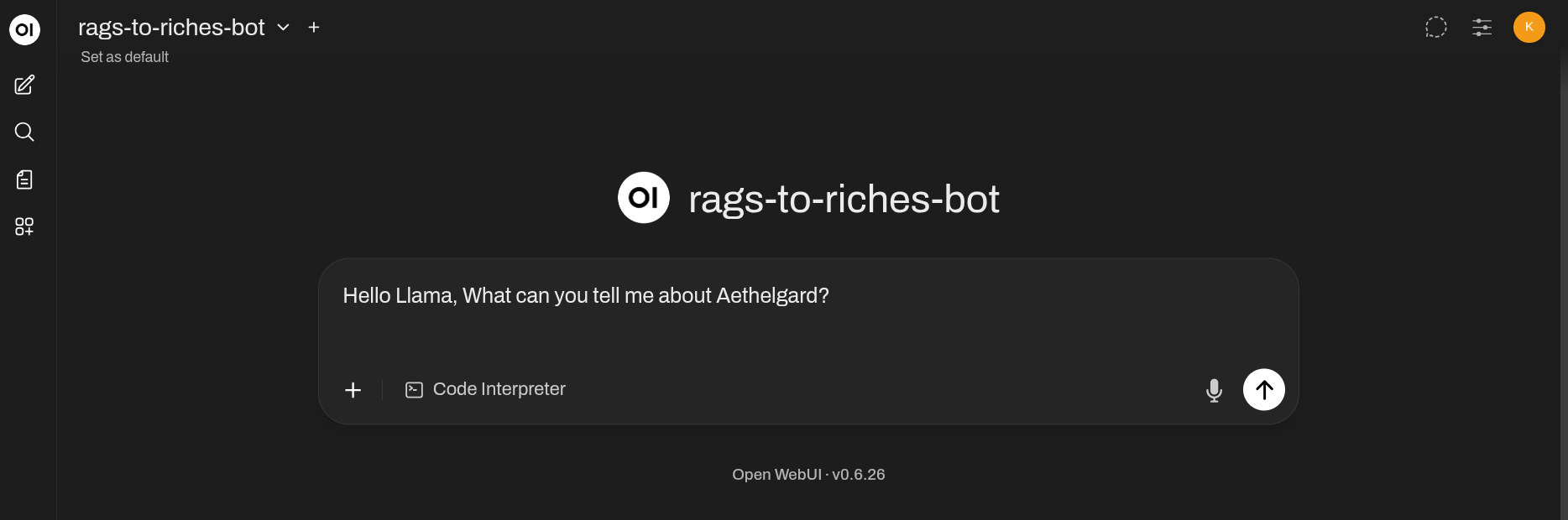
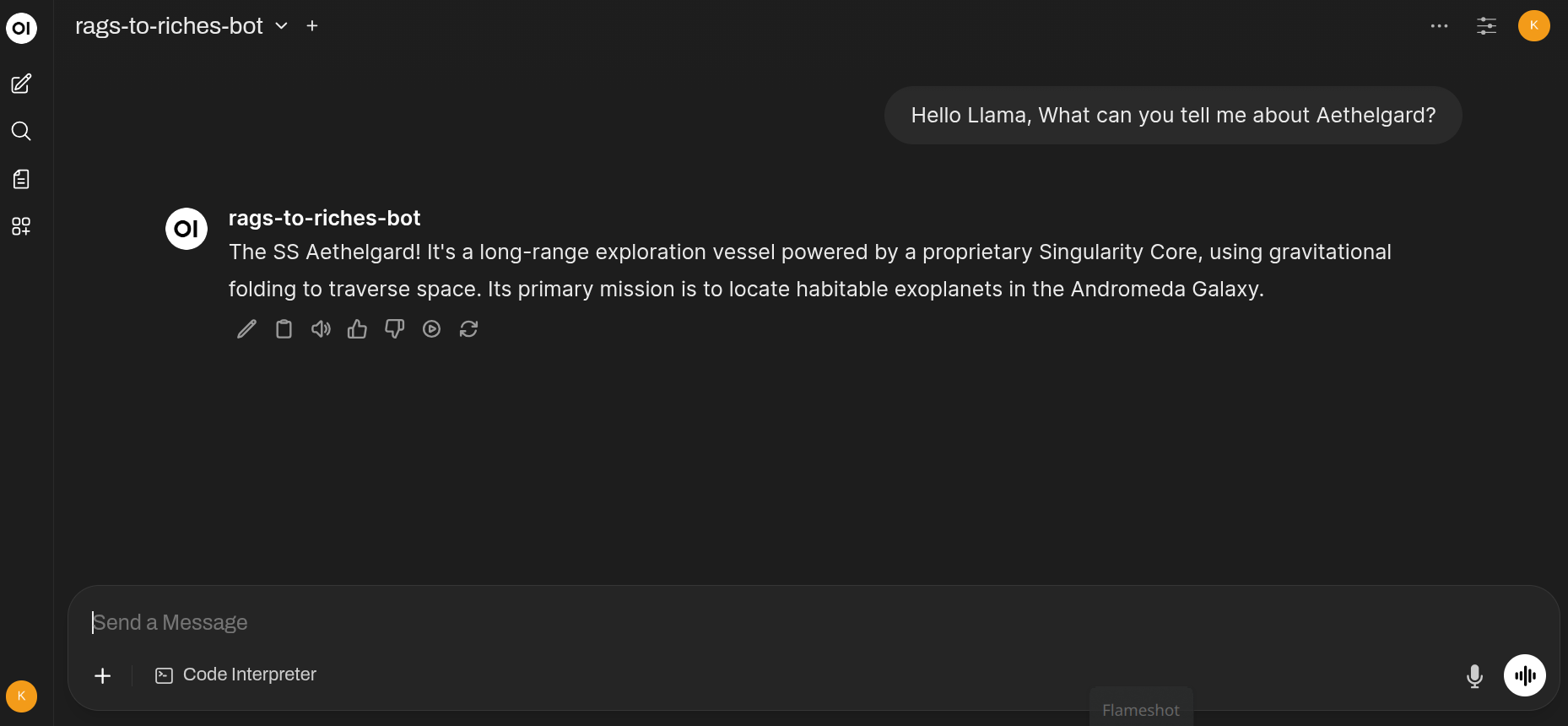
Data from the example.md file in the rags_to_riches/docs folder has been ingested, but lets see if we can ask some questions about the SS Aethelgard’s crew compliment:
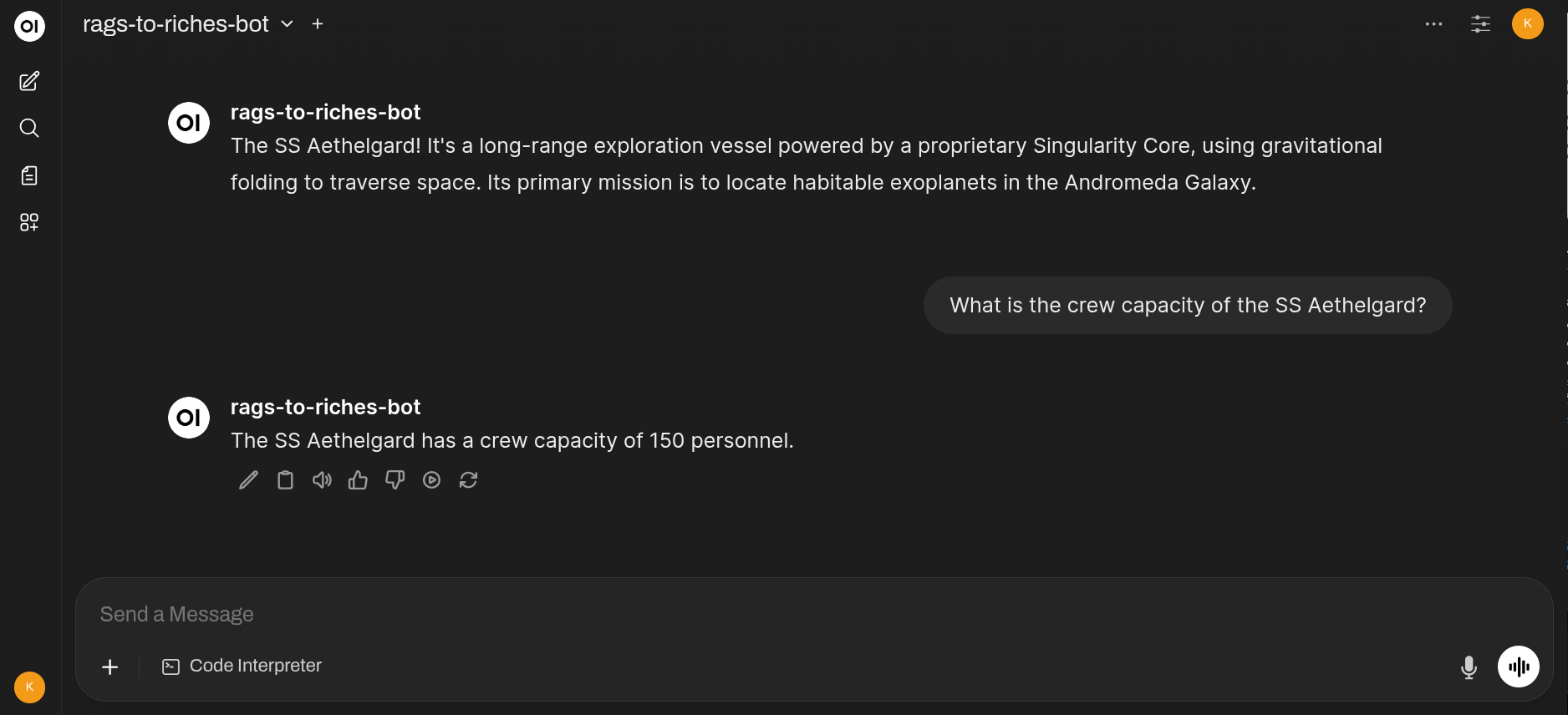
As you can see from the example.md file, the Aethelgard has a crew capacity of 150 personnel, and the RAG bot correctly retrieves this information from the ingested document.
Go ahead and ask some more questions about the Aethelgard or its crew, and watch as the RAG bot retrieves the relevant information from the document in real-time :)
Deployment Link to heading
Clone the good stuff to your machine Github
I containerised the entire stack using Docker Compose, meaning you can spin it up with a single .env file for database credentials and a simple command:
sudo docker compose up -d --build
The very first time you boot, the Ollama container will automatically download the llama3 model (~4.7GB), but after that, it’s lightning-fast.
Conclusion Link to heading
This RAG prototype is a powerful demonstration of how you can leverage local LLMs, vector databases, and a user-friendly chat interface to interact with your documents offline. Whether you’re looking to build a personal knowledge base, a secure document assistant, or just want to experiment with RAG architectures, this project provides a solid foundation to start from.
Most of all, your data is yours. No cloud, no third-party APIs, just you and your documents in a secure, local environment.
Security Notice Link to heading
While this prototype is designed for local use, always be mindful of the security implications of running services on your machine. Ensure that your FastAPI endpoint is not exposed to the internet and that you have proper firewall rules in place. Additionally, be cautious about the documents you ingest, especially if they contain sensitive information.
This project is provided “As Is” and is intended for educational and experimental purposes. Always follow best practices for securing your local environment when deploying any application.
Standing on the Shoulders of Giants Link to heading
This prototype wouldn’t be possible without the developers and communities behind these amazing open-source projects. A huge thank you to:
- Open WebUI
- LangChain
- Ollama
- ChromaDB
- FastAPI